All chapters
Share a private reading link
Let selected people read the live manuscript without an account, then stop access whenever you choose.
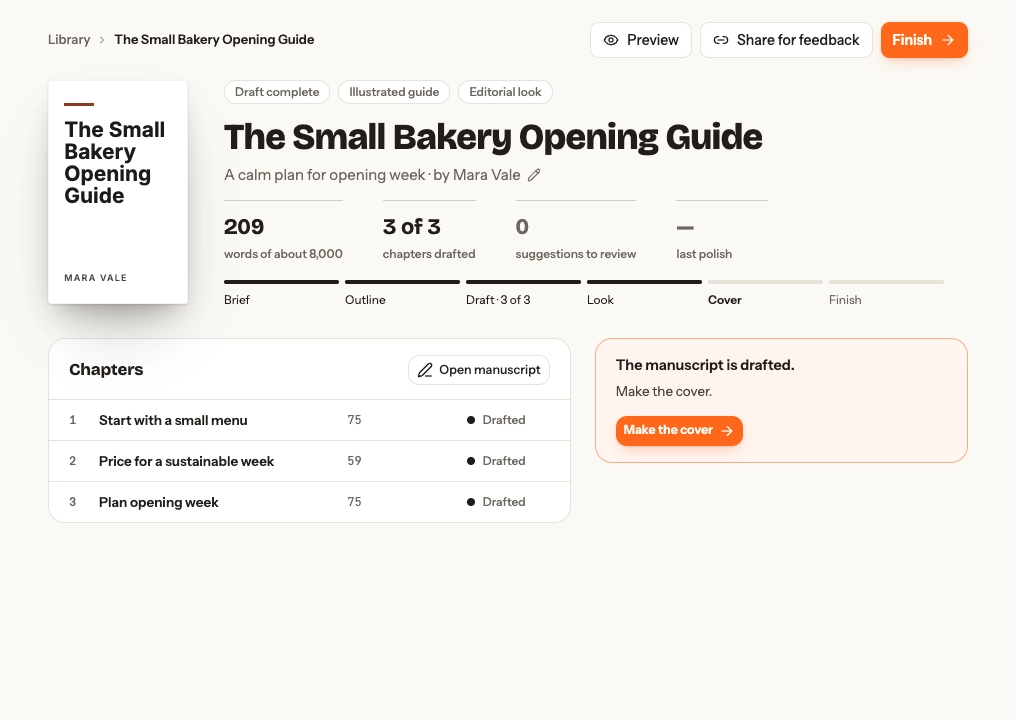
Create the link
On Overview, open Share for feedback; the first open creates the link. Use Copy to share it. The popover shows whether the link is active, its view count, its last viewed time, and Stop sharing.
Treat the address as a secret: anyone who has it can read the shared book while it remains active.
What the reader sees
The link opens a no-sign-in reader with the current title, cover, author, chapters, and inline images. It exposes no notes, sources, project settings, account details, or other books.
There is no feedback form in Chapbook. Arrange comments with the reader outside the app.
When to use the public page instead
Use Publish here when you want a stable public snapshot and email sign-up; use Share for feedback for a small group reading the live draft.
Revoke access
Stop sharing invalidates the link. Existing visitors then see This link is no longer active. Opening Share for feedback again creates a new address; the revoked one does not start working again.