All chapters
Choose the look and cover
Change the pages, EPUB, and cover without changing a word of the manuscript.
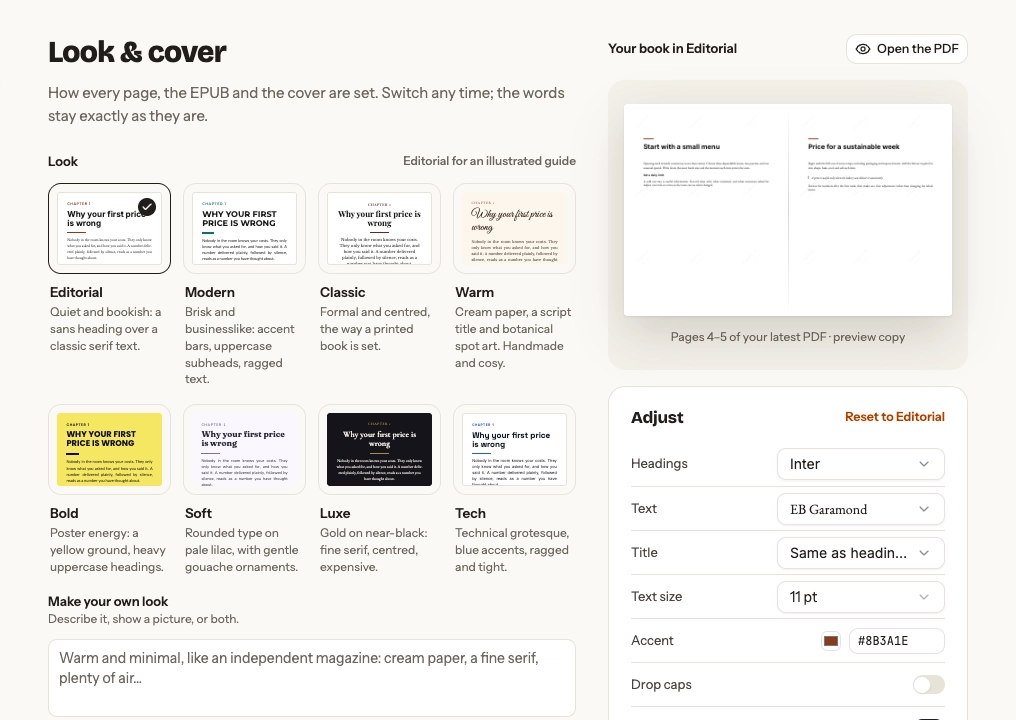
Choose a look
Try any of the eight presets and watch the sample spread update. The choices are Editorial, Modern, Classic, Warm, Bold, Soft, Luxe, and Tech.
For a custom look, describe what you want and optionally add a reference image. Make this look shows its Book Credit cost before generating anything.
Adjust the interior
Use Adjust for the current look. Depending on the preset, you can change heading, text, and title fonts, text size, accent colour, drop caps, and justification. More holds 6×9, US Letter, A4, and generated page-art options where the look offers them.
A workbook also has Fillable answers. Turn it on and readers can type on the answer lines and tick the empty boxes in the PDF, in any PDF app that fills in forms, including web browsers. The page looks and prints the same until they do. The paperback interior, EPUB, and Word file stay as they are, and choosing another look keeps the setting.
An activity pack prints on US Letter or A4, black on white: the look sets its type and its cover, not the colour of its pages. Its More adds Print one side, which leaves the back of every page blank so markers don’t bleed through when the PDF is printed on both sides.
Choose Open the PDF when you need to judge the full book rather than the sample spread.
Make or upload a cover
Generate a batch from the book, describe the artwork, choose a suggested idea, or upload your own PNG, JPEG, or WebP image. When you upload background artwork, Chapbook typesets the title over it; when you upload a complete cover, keep its existing type.
Select and adjust the cover
The selected cover is outlined. Where the cover supports them, adjust crop, palette, layout, accent colour, and subtitle display. The downloadable cover is a 1600 × 2560 JPEG.
Save a brand look
Save a book’s look to Author profile when future books should begin with the same fonts and colours. Existing books keep their own look.
Next: finish and export.