All chapters
Manage readers
Find people who signed up on your public book pages, send them to Kit, Mailchimp, Beehiiv, MailerLite or a webhook, add your own context, and export the list.
Understand the list
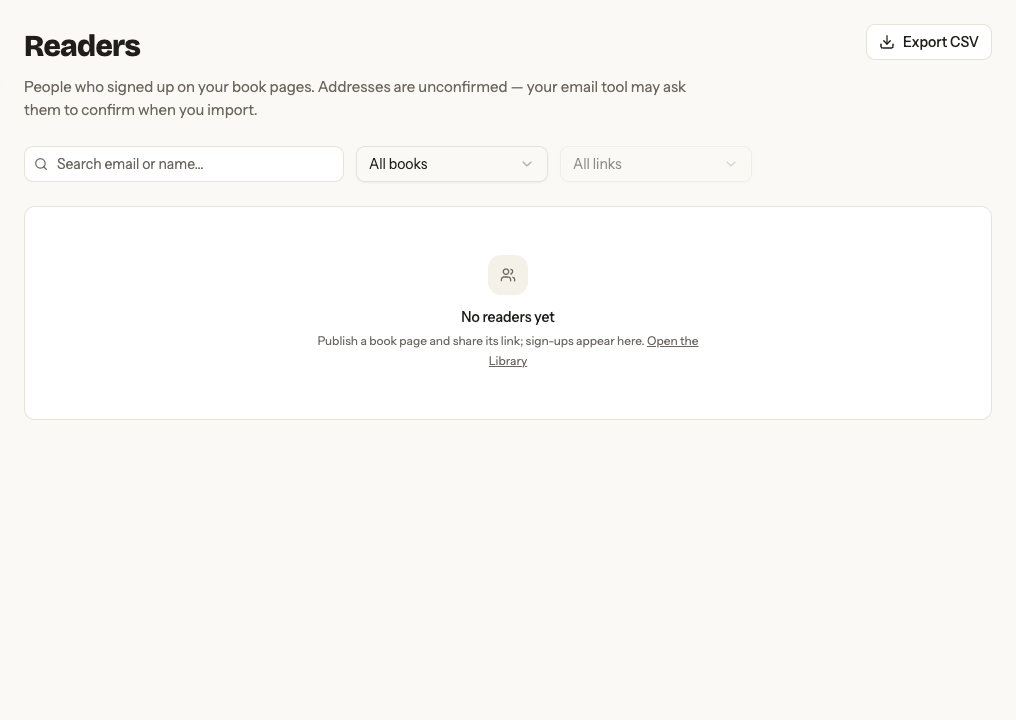
Each row shows an unconfirmed email, first book, sign-up time, last seen time, and tags. Chapbook does not send a confirmation message, so do not treat the address as verified.
Connect your email tool
Connections, at the top of Readers, sends each new reader to your email tool shortly after they sign up. Readers from before you connected stay in the list; export them as CSV to import.
- Kit: paste a v4 API key (in Kit: Settings → Developer), or, where Connect Kit offers it, sign in to Kit and allow Chapbook, then choose a form. Connecting the other way later keeps your form and tag. Kit can refuse the sign-in on a free or lapsed account; a key still works there. If you signed in, disconnecting here makes Chapbook forget its access; remove the app in Kit too if you want Kit’s side gone. Each reader joins that form unconfirmed, and Kit sends them its confirmation email from your account. In Kit, open the form’s Settings → Confirmation Email: turn Send confirmation email on and turn Auto-confirm new subscribers off. With auto-confirm on, Kit confirms readers without asking them (Kit’s guide). A tag is optional. Under Per book, a published book can use its own form or tag.
- Mailchimp: press Connect Mailchimp, sign in to Mailchimp and allow Chapbook, then choose an audience. Each reader joins it as pending, and Mailchimp sends them its confirmation email whatever the audience’s own setting; they count as subscribed once they confirm. Someone already in the audience keeps their status, so a reader who unsubscribed stays unsubscribed. A tag from that audience is optional, and a book can use its own audience or tag. To remove Chapbook’s access from Mailchimp too, disconnect here and revoke it in Mailchimp’s account settings.
- Beehiiv: paste an API key (in Beehiiv: Settings → Workspace → API → Create New API Key), then choose a publication. Beehiiv sends each reader its double opt-in email even if the publication has double opt-in turned off, and a reader who unsubscribed is not resubscribed. The book’s title arrives as the subscriber’s UTM campaign, so you can tell books apart in Beehiiv. Beehiiv’s welcome email is not requested.
- MailerLite: paste an API token (in MailerLite: Integrations → MailerLite API → Generate new token), then choose a group if you like. Each new reader joins MailerLite as unconfirmed. MailerLite emails them to confirm only while Double opt-in for API and integrations is on (Account settings → Subscribe settings, MailerLite’s guide). Chapbook can’t check or change that setting: with it off, readers wait in MailerLite as unconfirmed and get no email. Someone already in MailerLite keeps their status and is added to the group. If you limited the token to some IP addresses, allow any.
- Webhook: paste an https address from Zapier (Webhooks by Zapier → Catch Hook), Make (Webhooks → Custom webhook) or your own endpoint. Copy the signing secret when it appears; it isn’t shown again. Send a test event posts sample data so Zapier or Make can learn the fields.
Each connection has a Delivery log. A delivery that fails is retried for several hours, then listed at the top of Connections with the reason and a Retry button. A wrong key, a revoked Kit or Mailchimp access or a deleted form, audience or publication is not retried until you fix it and press Retry.
What the webhook sends
One JSON POST per reader, type reader.signed_up, with email, first_name, status (always unconfirmed), signed_up_at, consent (text, version, at), book (id, title, url) and source (label, code, or null). Chapbook-Delivery is the same on every retry, so you can drop repeats. To check it came from Chapbook, compute the HMAC-SHA256 of <t>.<raw body> with your secret, where t is the number in the Chapbook-Signature header (t=…,v1=…), compare it with v1, and reject a t more than five minutes old.
Search and filter
Search by email or name, filter by book, then by the named link that brought the reader. The current filters also determine which rows go into an export.
Open a reader
Open a row to copy the address, add tags and a private note, see whether the reader reached your email tool, and read the timeline of sign-up, read, download, and return events. Tags and notes are visible only inside your account.
Export CSV
Export the current filtered list for your email tool. The destination tool may require each reader to confirm before you send. Exports include the first 50,000 matching readers; Chapbook reports when the result is truncated.
Delete a reader
Deleting removes the address and its history from the list and cannot be undone. Use it when a reader asks to be removed or when you no longer have a reason to keep the record. It does not remove them from your email tool or from anywhere your webhook sent them; remove them there too.