Skip to content

Ebook outline generator: plan the chapters of your book

Describe the book in a sentence or two and pick its kind, or let the AI pick one. The generator gives a working title and 3 to 12 chapters in reading order, each with a line on what the reader gets. Open it in Chapbook and the outline comes with you, through sign-up, as the plan the book is written from.

Ebook outline generator

Chapbook's AI writes the answer. What you send is kept only as a fingerprint, for abuse checks.

For example

The outline Chapbook's planner proposed for Five Pricing Mistakes, from its brief:

  1. 1Introduction
  2. 2Mistake 1: Copying a competitor
  3. 3Mistake 2: One tier for everyone
  4. 4Mistake 3: Never asking
  5. 5Mistake 4: Anchoring on your costs
  6. 6Mistake 5: Never revisiting the number
  7. 7What to do instead
Open in Chapbook

It opens a new book with this outline in its brief, and keeps it through sign-up. Planning follows your chapters; nothing costs a credit until you choose Generate there.

How the generator works

Your description goes to Chapbook’s AI, which knows the kinds of book Chapbook makes and how long each runs. It picks the kind if you did not, gives the book a working title and subtitle, and plans the chapters in the order the reader needs them, each with one line on what the reader gets from it. Chapters that repeat each other are dropped.

“Open in Chapbook” carries the whole outline into a new book: in the address, through sign-in, sign-up and the email check, so nothing you planned is lost on the way. Chapbook’s planner then writes the full outline from your chapters, with a target length and synopsis for each, before anything is drafted.
Made with Chapbook

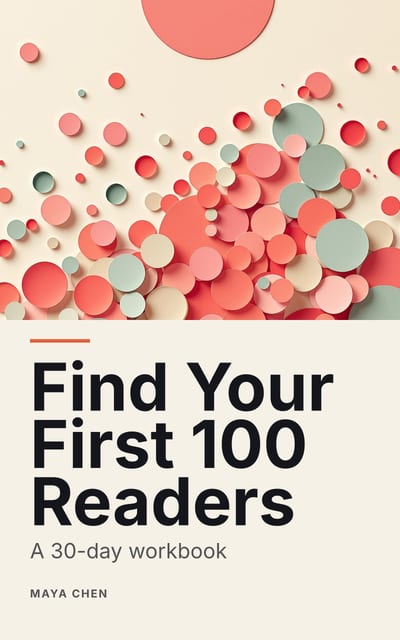
Cover of Find Your First 100 Readers by Maya Chen: layered paper-cut shapes in coral, sage and peach on cream, subtitle “A 30-day workbook”.

Find Your First 100 Readers

A 30-day workbook, by Maya Chen

Workbook, 5,850 words, 24 pages

The outline the planner proposed from its brief, chapter by chapter:

  1. 01 How to Use This Workbook 466 words
  2. 02 Week 1: Your Reader 1,142 words
  3. 03 Week 2: Your Promise and Your Page 1,168 words
  4. 04 Week 3: Where Your Readers Already Gather 1,294 words
  5. 05 Week 4: Ask, Deliver, Repeat 1,200 words
  6. 06 Day 30: The Review and the Routine 545 words

Questions people ask

Is the ebook outline generator free?

Yes, and it needs no account. A Cloudflare check stands in for a sign-in, each network has a limit, and the tool pauses for the day once it reaches its daily allowance.

How many chapters should an ebook have?

As many as its promise needs and no more. A lead magnet of 1,000 to 10,000 words usually needs three to six sections; a nonfiction book of 25,000 words, eight to twelve chapters.

What should an ebook outline include?

A working title, the chapters in the order the reader needs them, and for each one what the reader gets from it. That last line is what keeps every chapter pulling toward the book's one promise.

What happens to the outline when I open it in Chapbook?

It travels in the link, through sign-up and the email check, into a new book's brief. Chapbook's planner then writes the full outline from your chapters, keeping their order and what each covers.

What happens to what I type?

It is sent to Chapbook to write the answer and kept only as a hash, a fingerprint for spotting abuse. The text itself is not stored, and nothing is saved to an account.

Read a chapter of your own book before you pay for it.

The outline, one sample chapter up to 2,500 words and a watermarked cover are free: 60 Book Credits on sign-up, no card.