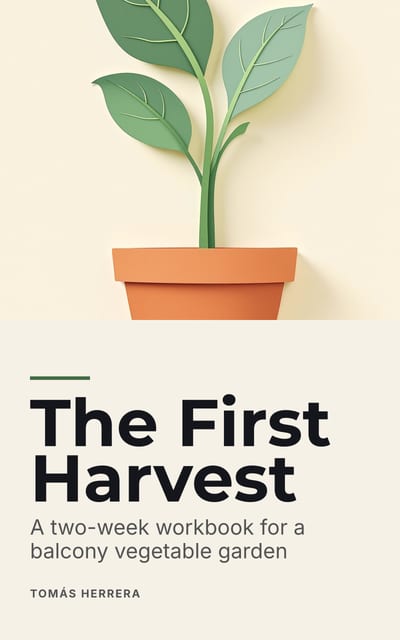
Ebook cover sizes, store by store (2026)
Make one JPEG 1,600 pixels wide by 2,560 high, in RGB and under 5 MB. That is KDP’s recommended size, it clears the minimums at Apple Books and Google Play, and it stays inside Kobo’s suggested file size. Gumroad suggests a landscape image as a rule of thumb, but shows a tall cover at its own shape, and its square thumbnail is optional.
The rules, store by store
We read the KDP, Apple Books, Google Play, Draft2Digital and Gumroad rules on their own help pages on 30 October 2026, and Kobo’s on 29 October 2026. Stores change these pages without notice, so check yours before you upload.
| Store | Size | Formats | File size |
|---|---|---|---|
| Amazon KDP | Recommends 2,560 high × 1,600 wide, and 2,500 high or more for high-definition screens. Requires at least 500 on the longest side and at most 10,000 on each side | JPEG preferred; PNG, non-animated GIF and TIFF accepted | At most 50 MB |
| Apple Books | At least 1,400 on the shortest side; no set size | PNG or JPEG, in RGB | Not stated for covers |
| Kobo Writing Life | Suggests the shape of its standard eReader screen, 1,448 × 1,072 | JPG or PNG | No larger than 5 MB suggested |
| Google Play Books | Minimum 640; maximum 7,200 in height and width | JPEG, PNG, TIFF or PDF | Under 2 GB per file |
| Draft2Digital | Gives 1600 × 2400 as its example and says “all we need is a tall rectangle”; it resizes for each store it sends to | “Most common image formats”; asks for JPEG in its example | Not stated for covers |
| Gumroad | Cover: 1,280 × 720 as a rule of thumb, and a tall cover is shown at its own shape. Optional thumbnail: at least 600 × 600, shown square | PNG, JPEG or GIF | Cover under 50 MB |
Barnes & Noble Press is not in the table because we could not read its rules on its own help pages when we checked, and other websites disagree about them. Look there before you upload to it.
Why one size works for most of them
Most of these rules are floors, not fixed sizes. Apple Books and Google Play set a minimum, and 1,600 × 2,560 clears both. KDP’s recommended size is the tallest shape here, so it is the one to design at.
The shapes do differ. KDP’s recommended size is 1.6 times as high as it is wide, Kobo’s screen about 1.35 and Draft2Digital’s example 1.5. None of the required rules above forces a shape on a tall cover, so a 1,600 × 2,560 file is still accepted. How each store or device shows a different shape is up to them, which is why the type belongs well inside the edges.
What pixels do not fix
A cover that meets every rule can still fail on the store page, where it appears at about the size of a thumbnail next to its competitors. Thin type, a long subtitle and a detailed background all vanish at that size. Judge the cover small, on a phone, beside the books it will sit next to.
A paperback is a different job. Its cover is one wrap of back, spine and front, sized by the page count and the paper, so use the KDP spine and cover template calculator instead of this table.
Where Chapbook fits
The free cover size checker tests an image against KDP, Apple Books, Kobo and Gumroad and crops or pads it to each one’s size, in your browser, with nothing uploaded. Chapbook’s own downloadable cover is a 1,600 × 2,560 JPEG. The title is set as real type, not drawn by the image model, so it stays spelled correctly. If its artwork was generated, KDP counts that as an AI-generated image to declare.
What to do
-
Design one tall master
Work at 1,600 × 2,560 pixels, or larger at the same shape. It is much easier to scale a large file down for a store than to enlarge a small one without it going soft.
-
Keep the type away from the edges
The stores’ shapes differ, so your art may get resized or need a crop. Keep the title and author name well inside the frame, so a change of shape does not cut them off.
-
Export a JPEG in RGB
JPEG is accepted by all six stores on this page and is KDP’s preferred format. Use RGB: Apple Books asks for it and KDP recommends it. Stay under 5 MB for Kobo.
-
Decide on Gumroad’s extras
Your tall cover works on Gumroad as it is, shown at its own shape. Add a 1,280 × 720 landscape image if you want Gumroad’s rule of thumb, and a 600 pixel square if you want a thumbnail.
-
Look at it at thumbnail size
Shrink the cover to the width of your thumb on screen. If you can’t read the title there, make the title bigger before you change anything else.